
Spoken v2.3 Release Notes: Magic Mode Goes All the Way
Better Voices, Persistent Series Casts, Multi-Cast to Single-Narrator, Custom Sound & Production at Scale
Magic Mode is almost out of preview. And we’re taking it all the way.
v2.3 brings the pieces together: more emotive, dynamic, studio-rich voices; casts that carry from one book to the next; completed multi-cast productions that can become single-narrator editions; your own music beneath opening and closing credits; retail samples chosen by you; customizable cast colors, and production history insights.
And every new Spoken user now starts with 5,000 words of publishing credit to experience it.
On November 1, Magic Mode enters general availability.
v2.3 is how we’re getting there.
Series Cast Continuity
One of the most requested capabilities for series production has arrived.
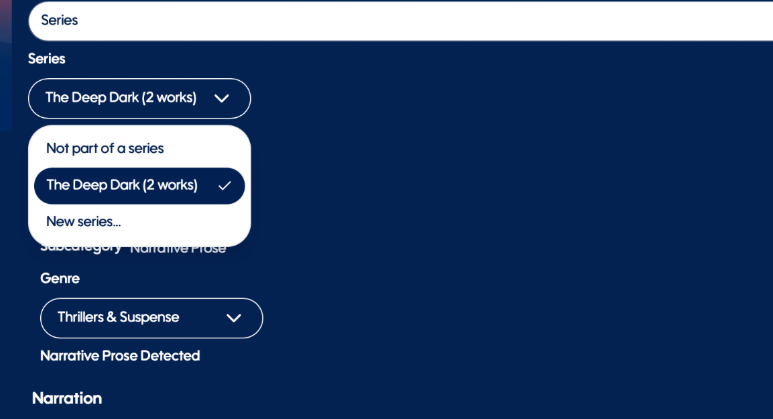
You can now designate a project as part of a Series directly in Project Manager. Name your series, and when future books from that series enter Spoken, Magic Mode can cross-reference their identified characters against the established series cast and automatically select the voices already associated with them.
The character your listeners know from Book One can still sound like that character in Book Two, Book Five and beyond.
For series authors, interconnected stories, anthologies and publishers managing expansive fictional worlds, this means you no longer need to reconstruct your cast every time a new manuscript begins.
The book changes. The world remembers.
Build the cast once. Let the story continue.
Multi-Cast to Single-Narrator Conversion
You built the audiobook. Magic Mode analyzed the story. You perfected the production.
Why start over to make another version?
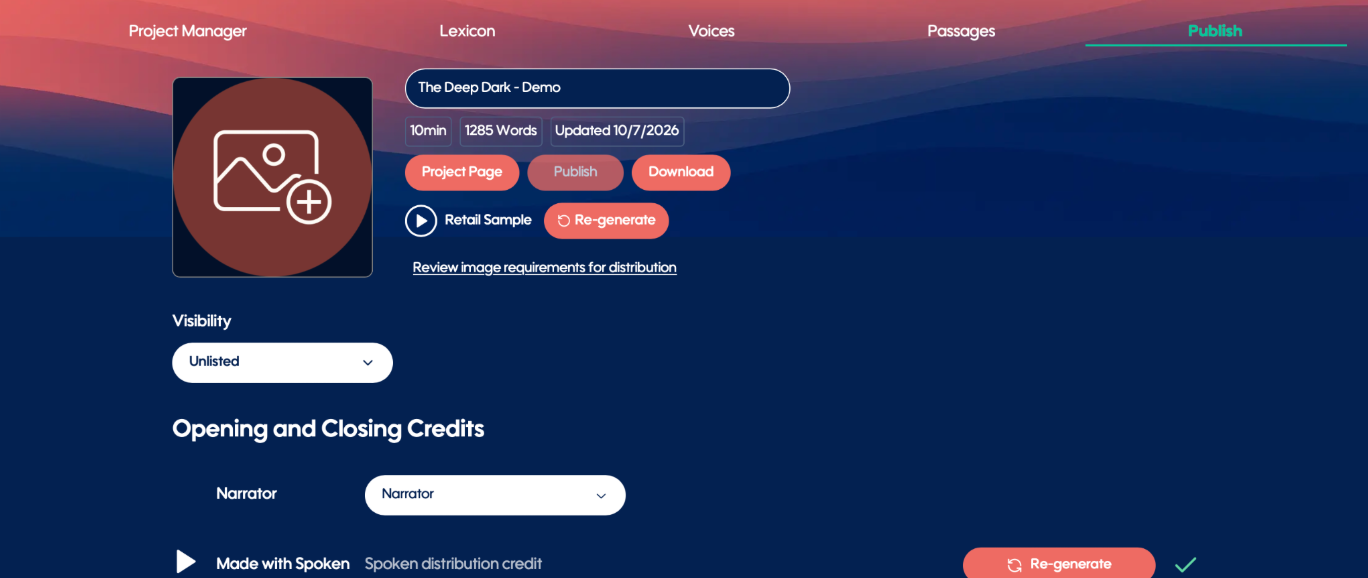
Once you’ve completed a Spoken Multi-Cast™ production in Magic Mode, you can now transform it into a Single-Narrator edition directly from the Publish tab.
Spoken creates a new version from the production you’ve already built, carrying forward the underlying manuscript and production work. Character passages are consolidated for a single narrator and can then be re-narrated through the familiar Spoken workflow.
For authors and publishers, that opens an entirely new production path: create a richly cast Multi-Cast edition and a traditional Single-Narrator edition from the same underlying production.
One production. Two completely different ways to listen.

Improved Voice Models
The tools around the audiobook are getting more powerful. So is the thing that matters most:
How it sounds.
We’ve improved Spoken’s voice models to deliver more emotive performances, richer studio-quality vocal texture and more dynamic narration.
Characters can express greater emotional range. Narrators move more naturally with the rhythm, energy and intention of the prose. Performances have greater presence and dimension across both Single-Narrator and Spoken Multi-Cast™ productions.
And there’s no new control to learn or setting to manage.
You hear the difference.
Paired with Magic Mode’s understanding of character, context and performance, the voices now have even more ability to bring that intelligence to life.
Custom Music for Opening & Closing Credits
Your audiobook doesn’t have to simply begin. It can open.
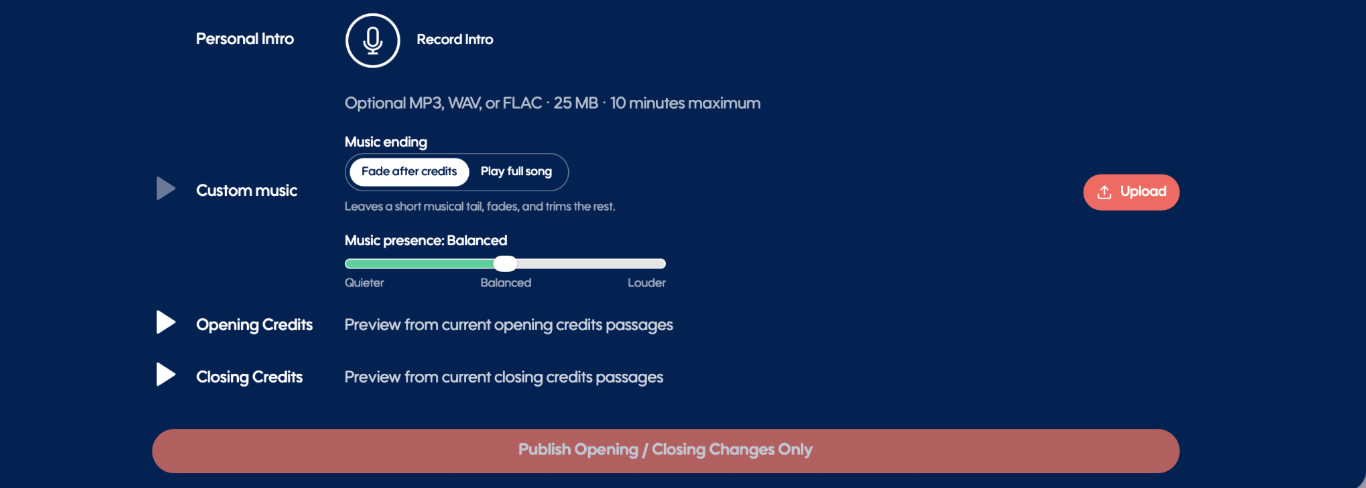
You can now upload your own music for Opening and Closing Credits, adding another layer of identity and polish to the finished production.
Music can sit subtly beneath your title and author attribution, narration credits, Spoken attribution and even an optional self-recorded author introduction.
You control its presence and volume while Spoken layers it beneath the spoken track.
Want the entire song to play? Let it play.
Want the music to accompany the introduction and then fade naturally when the narration ends? Do that instead.
Closing Credits receive the same treatment, giving the final moments of your audiobook a musical identity of their own.
This is another boundary disappearing between generating narration and producing an audiobook.
Your story. Your voices. Your sound.
Custom Retail Samples
Your retail sample can be the first encounter someone has with your audiobook.
Now, you decide what they hear.
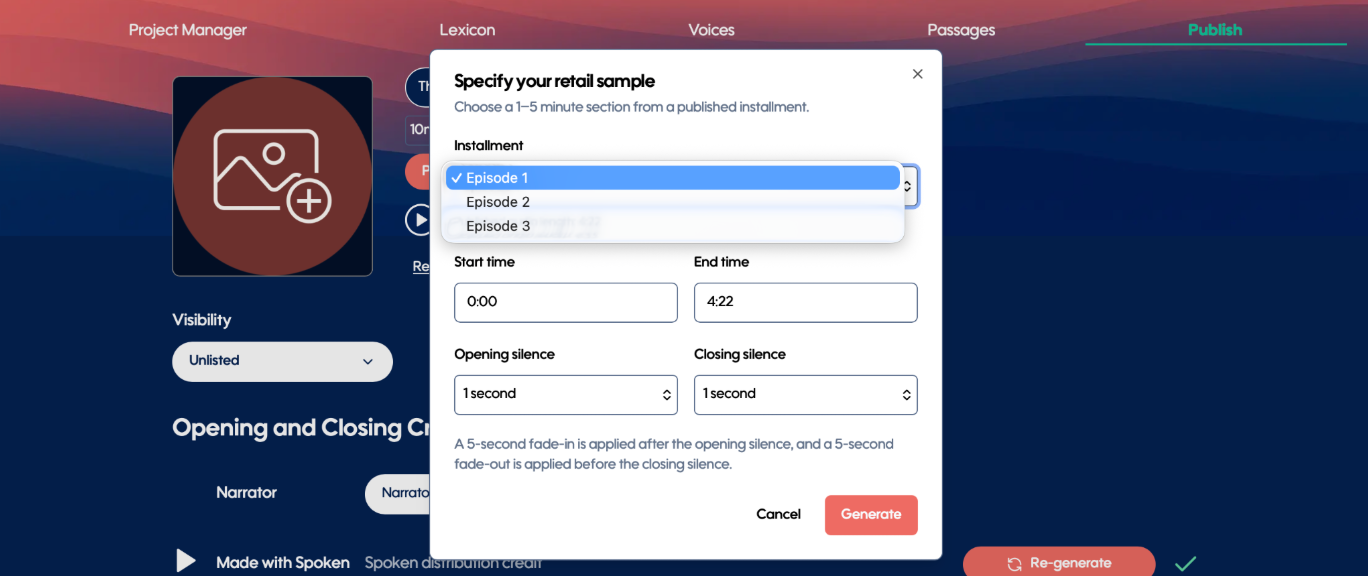
Select any published installment and choose the exact 1–5 minute section you want to represent the production.
Choose the installment. Set the starting point. Set the ending. Preview it. Change it. Regenerate it.
Maybe your opening is perfect.
Maybe the scene that sells the story happens halfway through Chapter Three.
Maybe there’s one exchange where the cast, performances and world all come alive.
Don’t leave that first impression to chance.
You made the audiobook. You choose how listeners meet it.
Custom Voice Colors
In a Spoken Multi-Cast™ production, color isn’t decoration, it’s part of how you read the project.
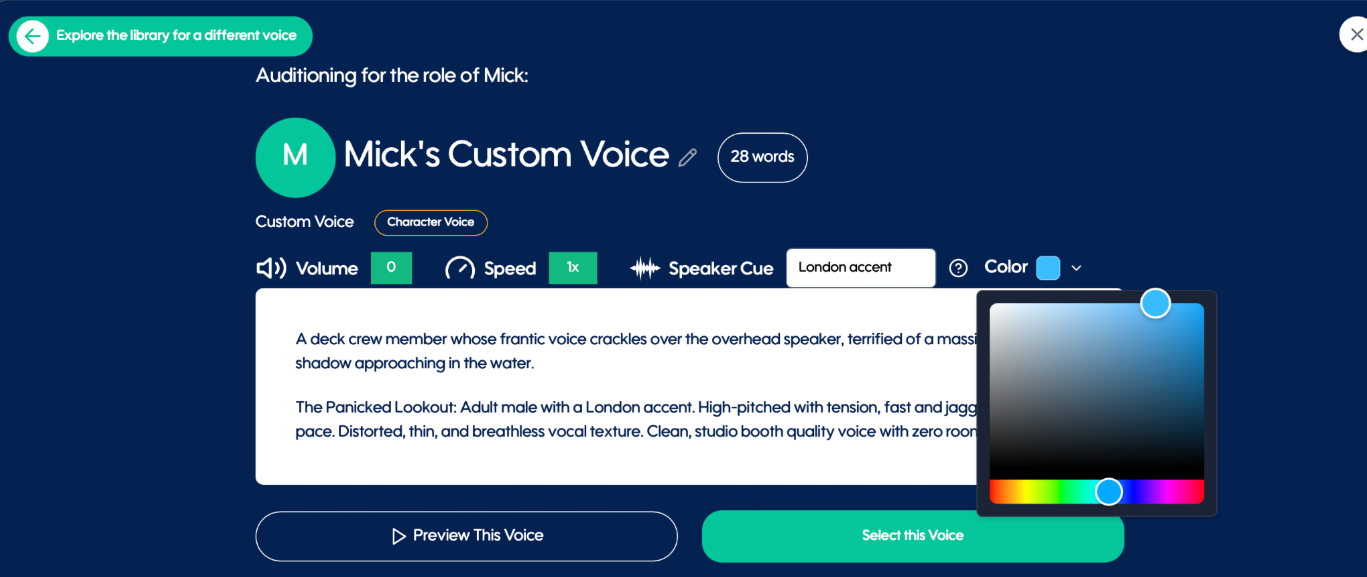
You can now change a character’s Voice Color directly from their Voice Profile, choosing from an expanded palette to make each character visually distinct.
That color carries throughout the production, including the corresponding passage and padding indicators you see while editing.
So if two major characters were assigned colors that looked a little too similar? Change them.
Twenty characters? Thirty? Fifty?
Organize the cast in the way that makes the most sense to you.
Your cast was already yours. Now the color coding is, too.
5,000 Publishing Words for Every New User
On November 1, Magic Mode enters General Availability.
And we’re changing how new creators meet it.
Every new Spoken user now begins with 5,000 words of publishing credit.
Upload a manuscript. Experience Magic Mode. Hear the cast. Work inside Studio. Take a real piece of the production through the workflow.
Installment Production History
As projects get larger—and more people become involved in producing them—knowing exactly where the work stands becomes increasingly important.
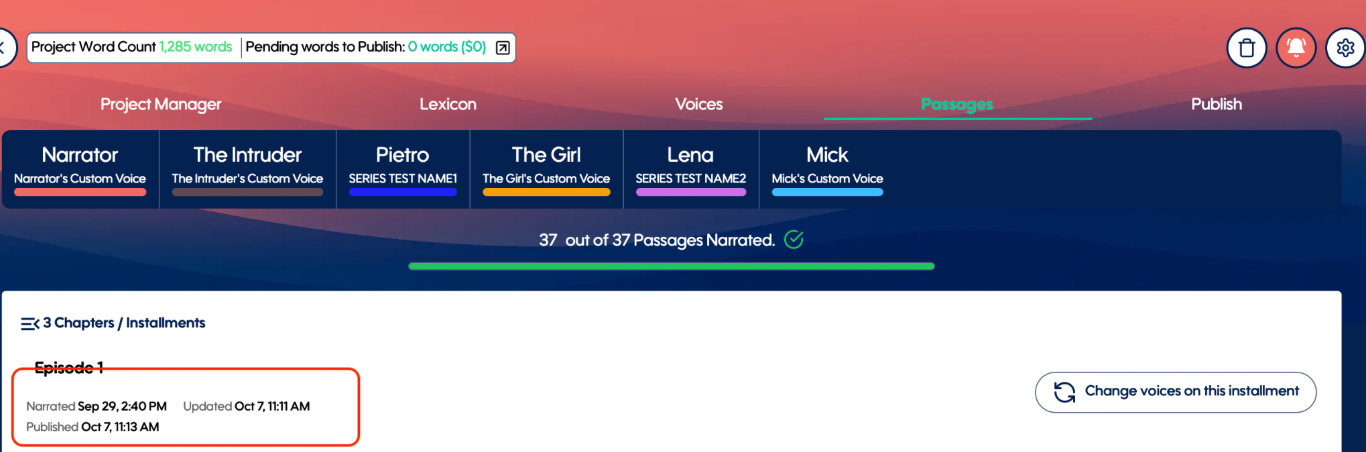
Spoken now surfaces key installment dates directly within Project Manager and Passages:
Narrated — when an installment was first narrated
Updated — the most recent narration update after its initial narration
Published — when the installment was last published
It’s a simple addition with a big effect on long books, active productions and collaborative workflows.
Less hunting. More knowing.
IPA Support in Lexicon
Spoken Studio’s Lexicon now supports International Phonetic Alphabet (IPA) entries, giving you even more precise control over how words and names are pronounced. Fine-tune pronunciation to get your narration sounding just right.
New: Interactive Spoken Studio Demo
Experience the power of Spoken Studio with our new interactive demo! Walk through each step of the audiobook creation process and see the results firsthand, from manuscript to narration. Discover how easy it is to bring your story to life with Spoken.
Try it now: www.spoken.press/demo
Bugs, Fixes & Studio Improvements
v2.3 also delivers another round of fixes and refinements across the production experience:
Improvements to deletion behavior
Fixes to voice-search filters
More reliable voice-sample playback
Improvements to MP3 metadata
Additional performance, stability, and reliability improvements throughout Studio
Magic Mode Goes All the Way
Make sure you're a Spoken subscriber before Nov. 1
