
Spoken v1.10 Release Notes: Studio Reimagined
A Complete Passage Editor Overhaul. Precision Controls. Total Creative Authority.
Without question, Spoken v1.10 is one of the most transformative Studio updates we've ever released.
This is a complete structural redesign of how you interact with your manuscript, your voices, your audio — and now, your professional production ecosystem.
From a fully reimagined Passage Editor to Lexicon elevated into its own dedicated production step, complete audio version history (undo), intelligent split and join behavior, visual drag-to-set padding, a refined three-tier voice casting system, and the introduction of our new Producers tab — Studio just leveled up in a serious way.
Welcome to the new Spoken Studio. And while this release will feel monumental to anyone who works with digital narration… just wait for what’s coming next.
The All-New Passage Editor & Studio Interface
Studio’s Passages tab has been completely redesigned from the ground up.
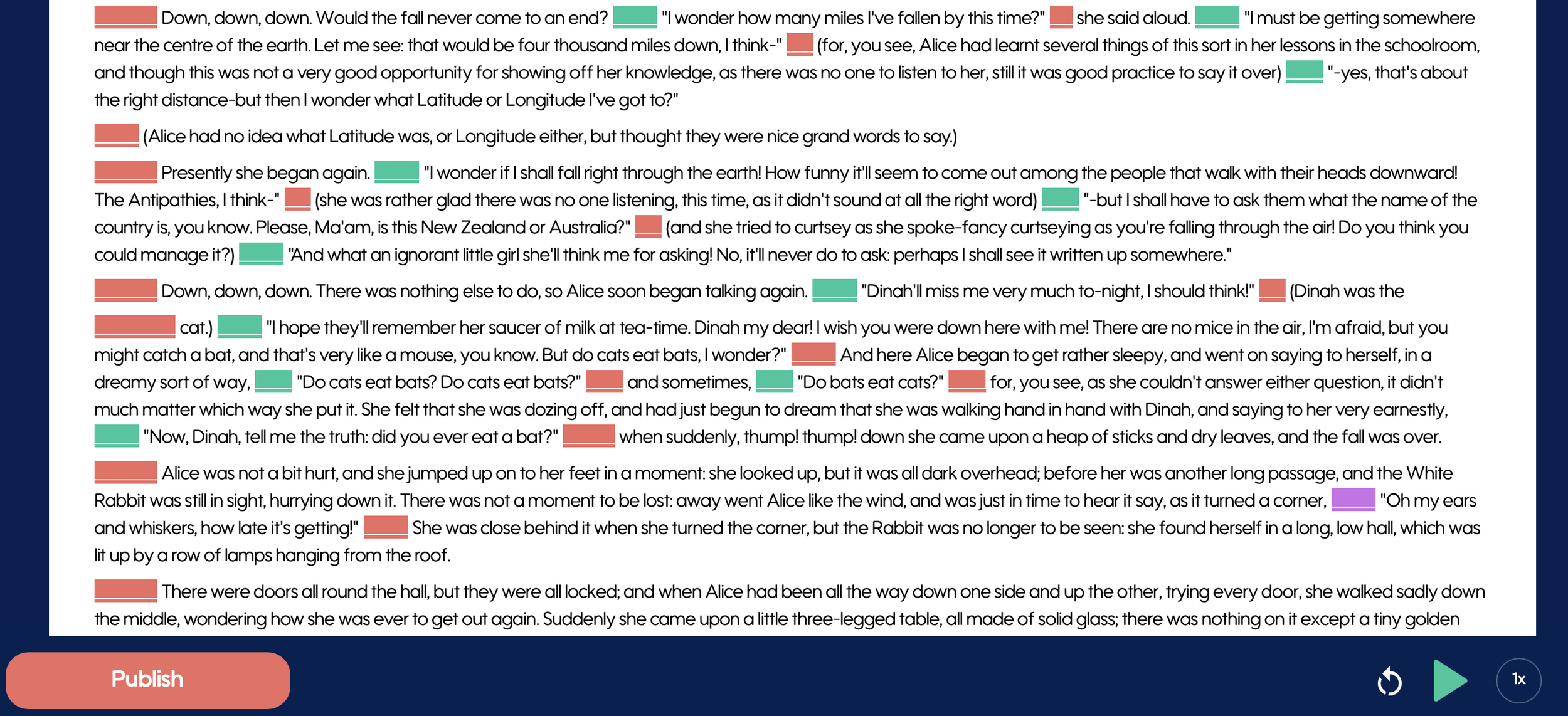
Your manuscript now appears with the visual integrity of a true writing workspace — familiar, fluid, and readable — while preserving Spoken’s powerful passage-level control system underneath.
What’s New:
Full manuscript continuity view — your story reads naturally, like it would in your writing platform.
Color-coded padding indicators remain, but are now integrated seamlessly into the layout by way of Padding blocks beside the text.
Passages requiring narration display subtle black underline indicators on the Padding icons and low-opacity text.
Narrated passages appear in full dark type for immediate visual confirmation.
Integrated audio player per passage with:
Visible MP3 length
Scrubbable waveform control
Instant proofing and precision playback
Editing is faster. Proofing is cleaner. The text-to-audio workflow is truly seamless.
Spoken is your browser-based narration production studio.
Passage History & True Audio Undo
You asked for it. We built it.
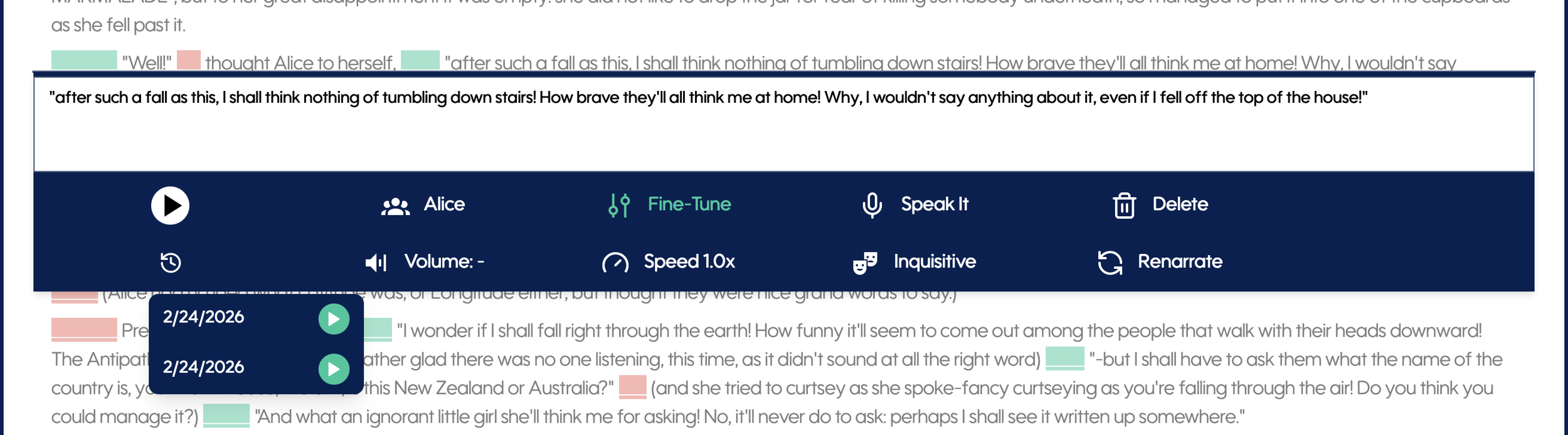
Every change made to a passage now stores its prior MP3 versions in Passage History.
You can now:
Revert to any prior audio take
Experiment freely without fear
Restore a previous performance with confirmation
“Change the audio file of this passage to the version from 1/28/2026?”
Refinement is no longer destructive. It’s creative.
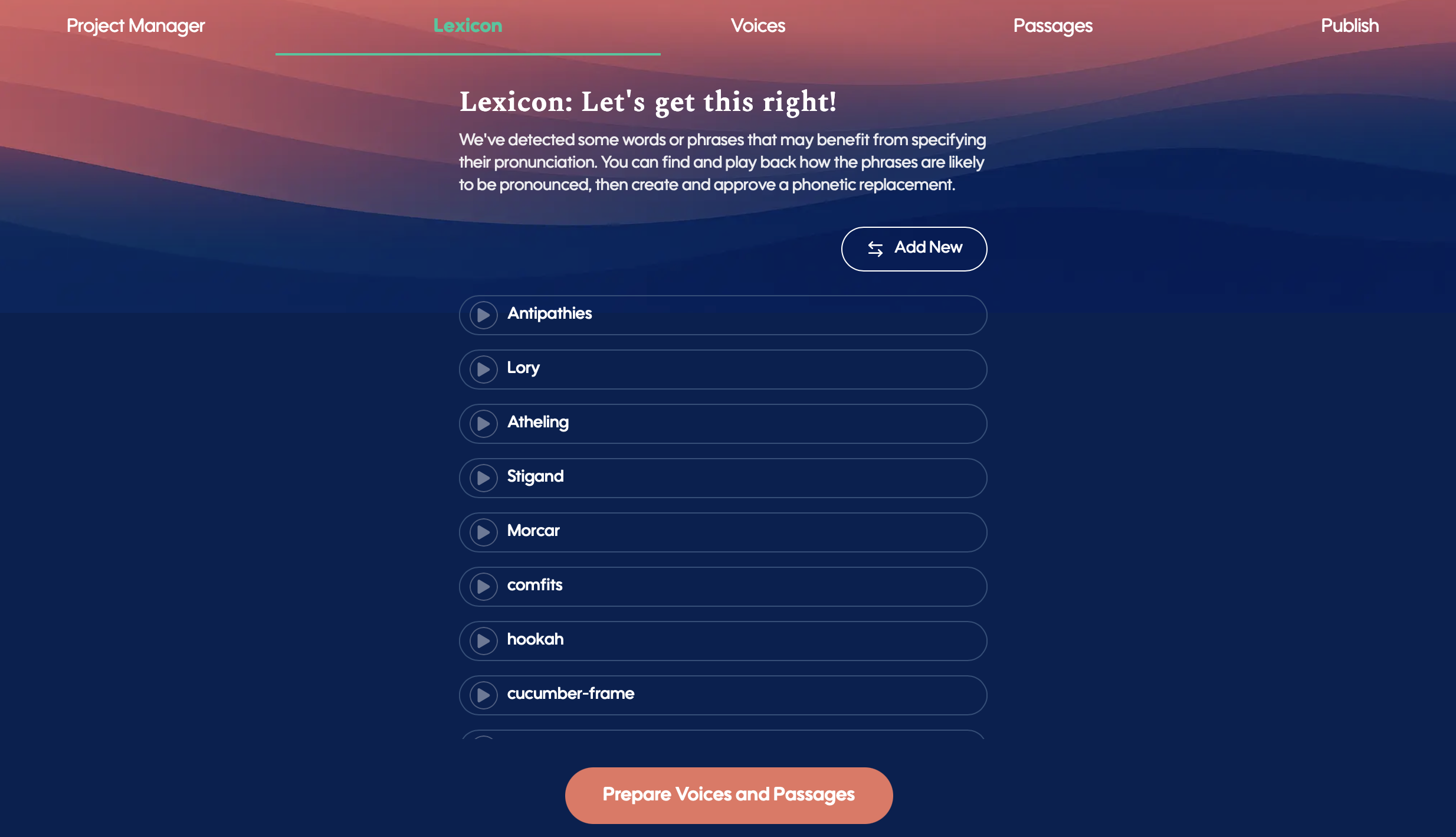
Lexicon Is Now Its Own Dedicated Studio Step
Lexicon has been elevated into a full Studio tab.
Before you ever reach passage editing, you now have global control over:
Difficult names
Unusual spellings
Fantasy terminology
Tricky phonetics
The refined Lexicon system identifies and isolates the words that truly need attention, giving you manuscript-wide pronunciation control at the highest level, long before you ever reach your passages.
This is Spoken doubling down on helping authors prepare their story for the best possible digital narration result — while honoring exactly how they wrote it.
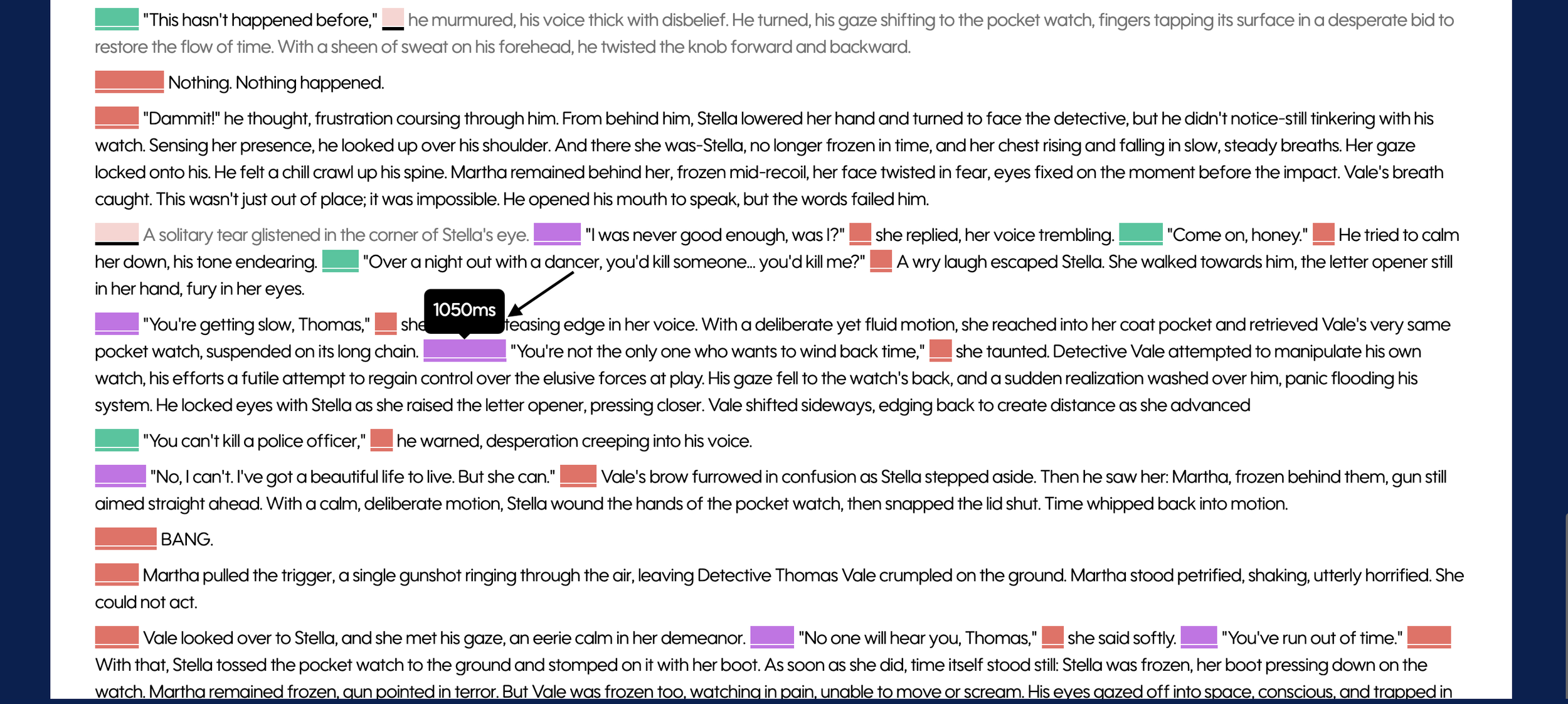
Visual Padding Control — Drag. Set. Done.
The milliseconds of pause before a passage begins are now represented as a visual, color-coded block beside the passage — aligned to the speaking character.
You can now:
Click
Drag
Adjust padding in real time
Timing is now instant and tactile. No manual updating after padding changes is needed.
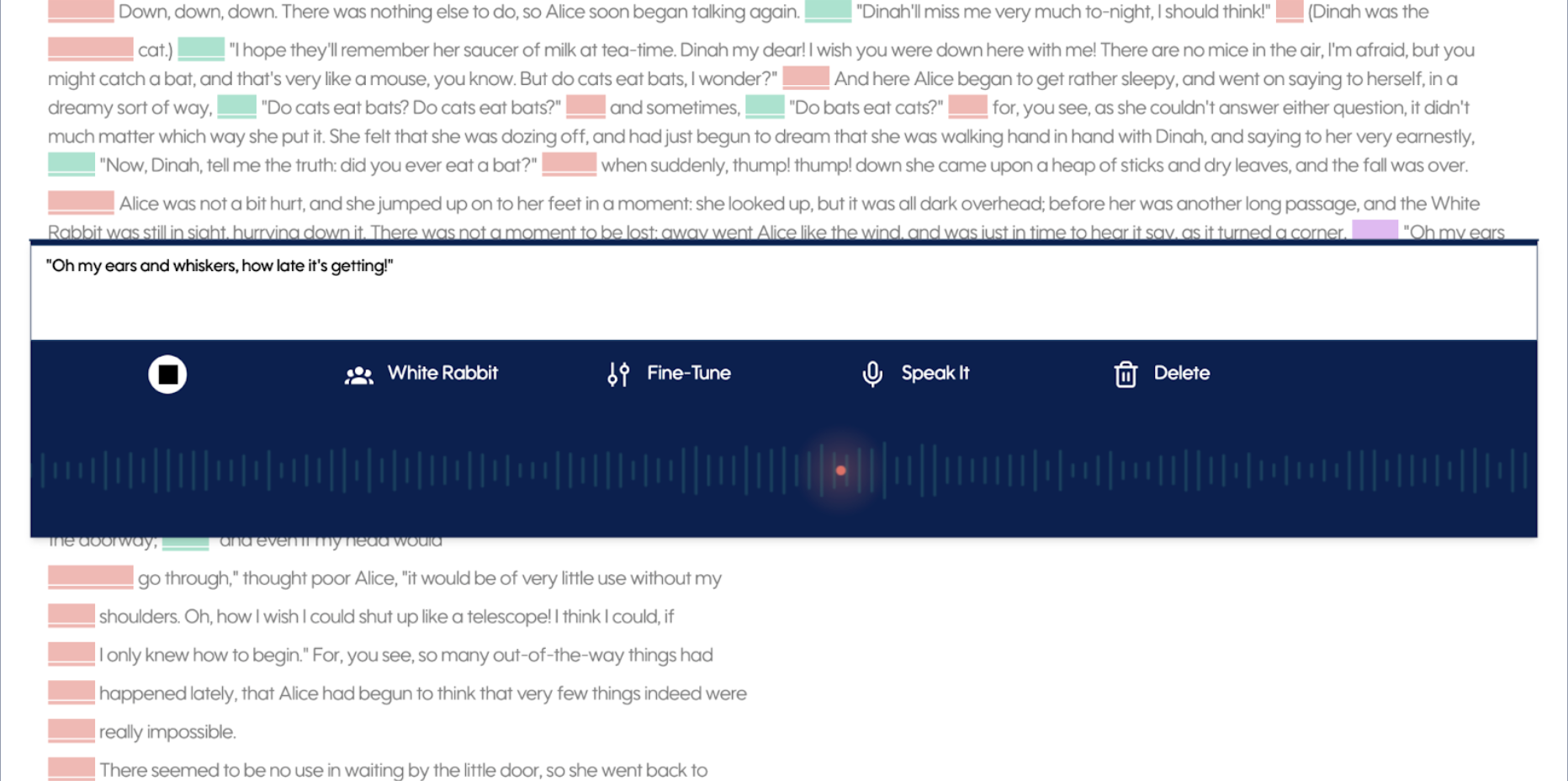
Precision Playback
Editing audio inside Studio now feels dramatically more tactile.
Every narrated passage now includes an integrated waveform player directly inside the Passage Editor. You can see the exact duration of the generated MP3, scrub through the waveform with precision, and instantly review specific moments without replaying the entire passage.
Experiment with delivery. Compare takes.
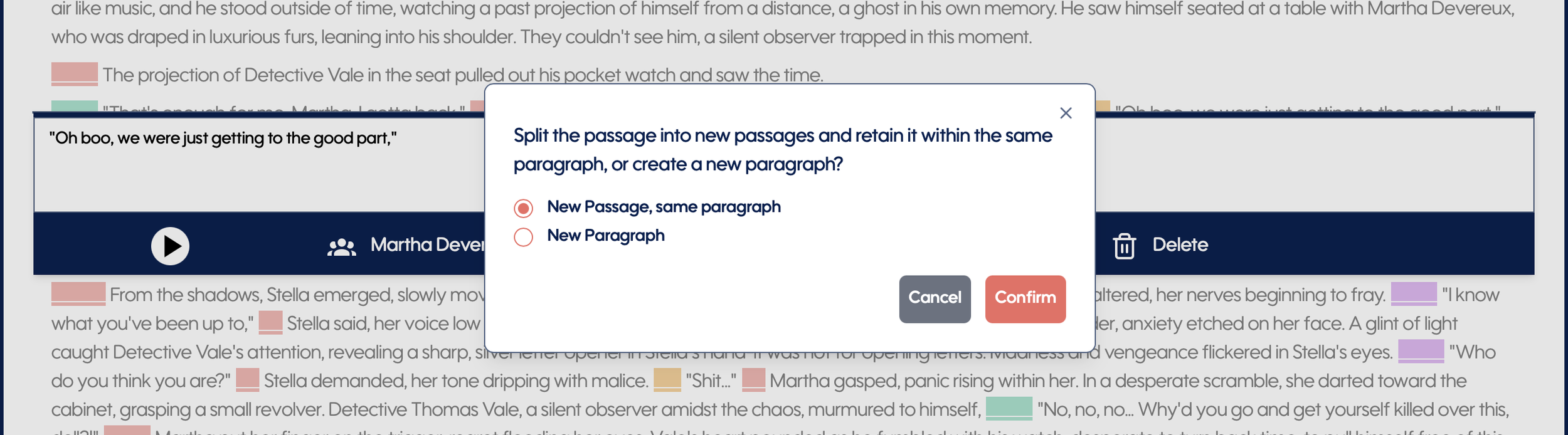
Smarter Split & Join Behavior
Editing passages is now intelligent, intentional, and safe.
Split Behavior:
When splitting a passage, you can choose:
New passage, same paragraph
New paragraph
If you create a blank passage at the beginning or end, the original passage remains untouched — and will not be marked for re-narration if it already has audio.
If you split within text, you’ll be guided through whether you want structural separation or paragraph distinction.
Join Behavior:
Joining passages now behaves contextually:
Joining paragraphs keeps passages intact and preserves MP3 histories.
Merging two passages into one requires confirmation and re-narration — clearly stated before proceeding.
Three-Tier Voice Selection System
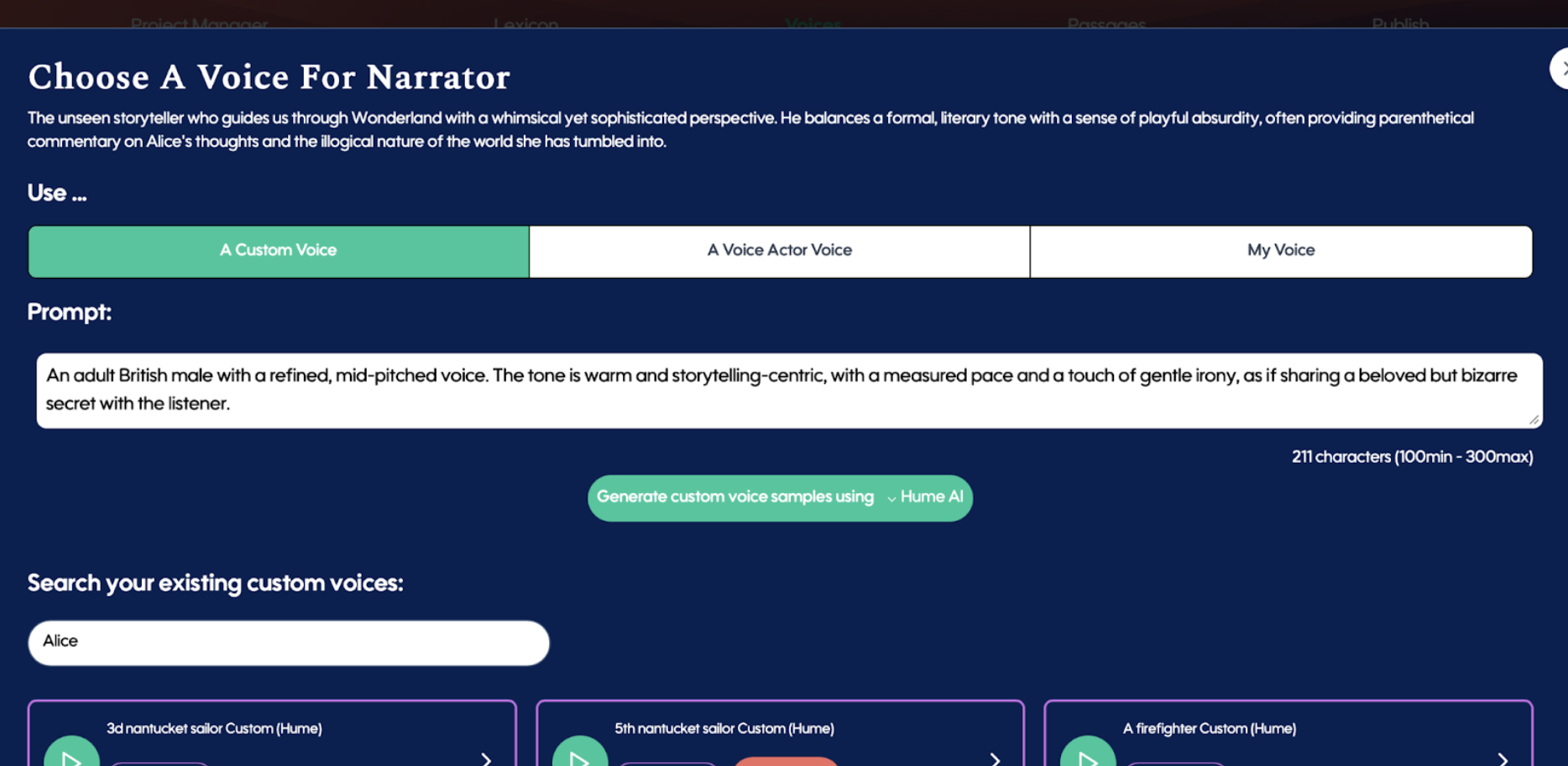
Voice selection in Studio has been completely clarified and streamlined into three distinct paths:
Custom Voice
Prompt-based discovery
Three sample generation
Search your existing custom voices
Voice Actor Voice
Standard finder tools
Enhanced vector “Best Match” suggestions
My Voice
Use My Personal Voice Clone
Create My Personal Voice Clone
Manage My Personal Voice Clone
Voice casting is now cleaner, clearer, and faster.
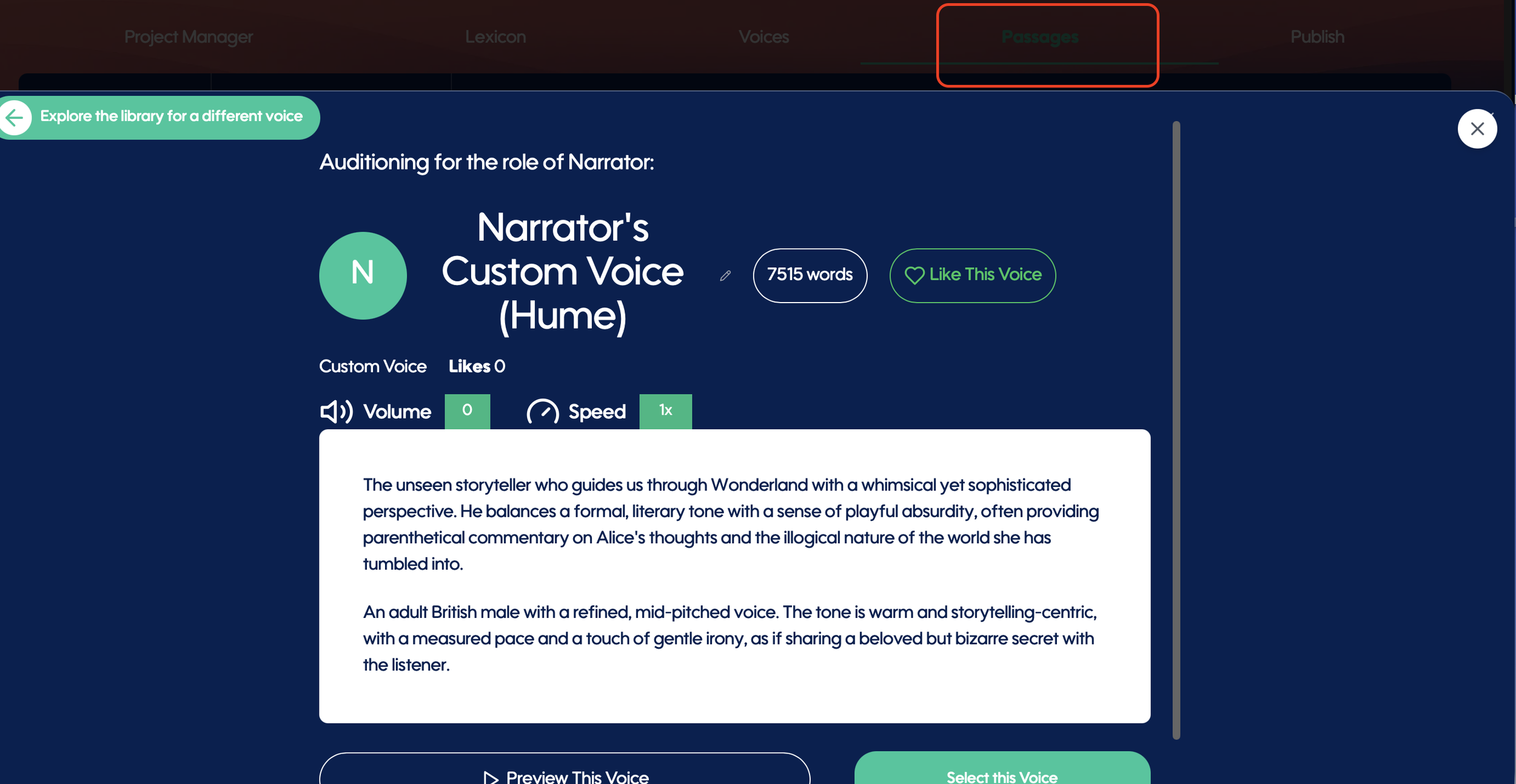
Click-to-Profile Character Navigation
Clicking a character name at the top of the Passages tab now opens that character’s voice profile directly.
No more jumping to the Voices tab and searching manually.
Character-to-voice relationship is now immediate and fluid.
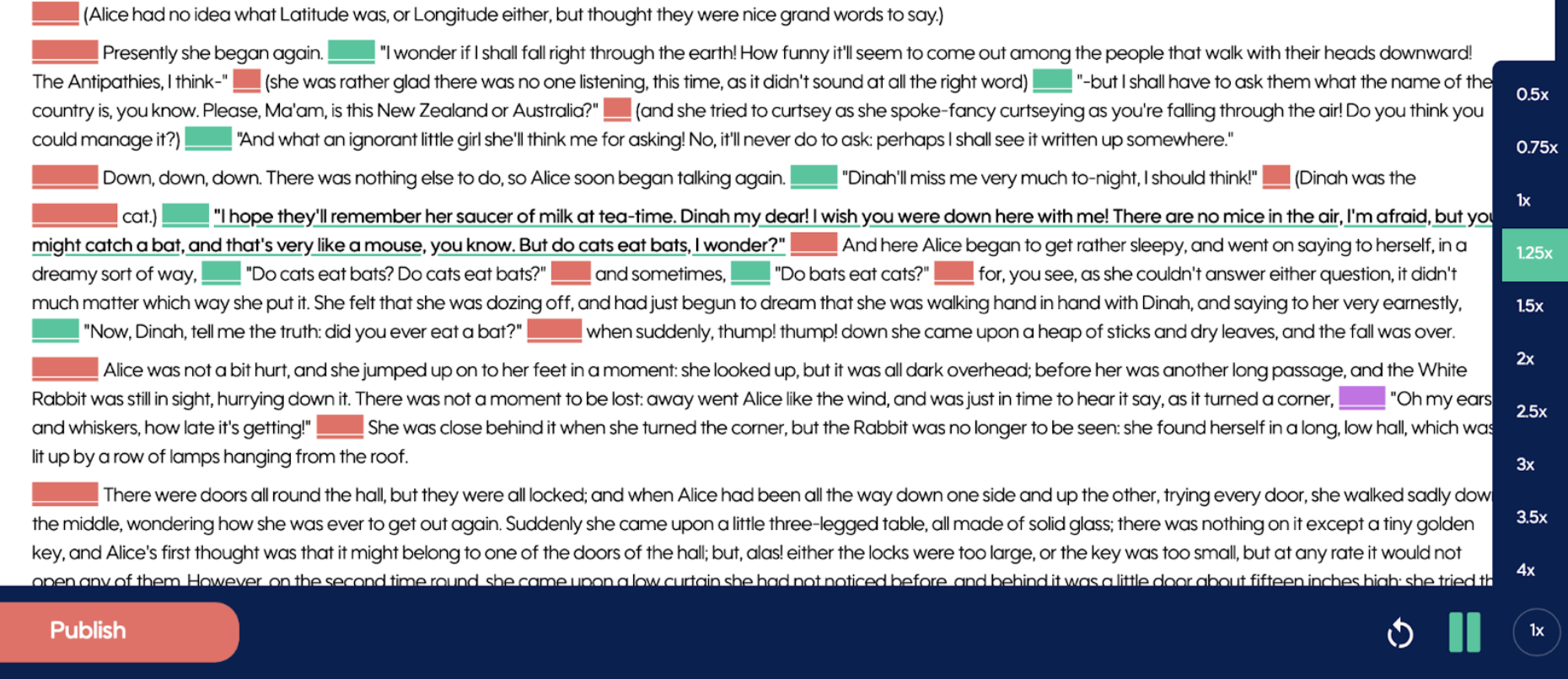
Installment-Level Speed Control — Review Faster
When proofing an entire installment, you can now adjust playback speed on the fly.
Speed up narration to review structure and flow.
Slow it down to inspect tone and pacing.
For long-form authors especially, this dramatically reduces proofing time and keeps you inside your workflow.
“Want Help?” — Professional Support, Built Into Spoken
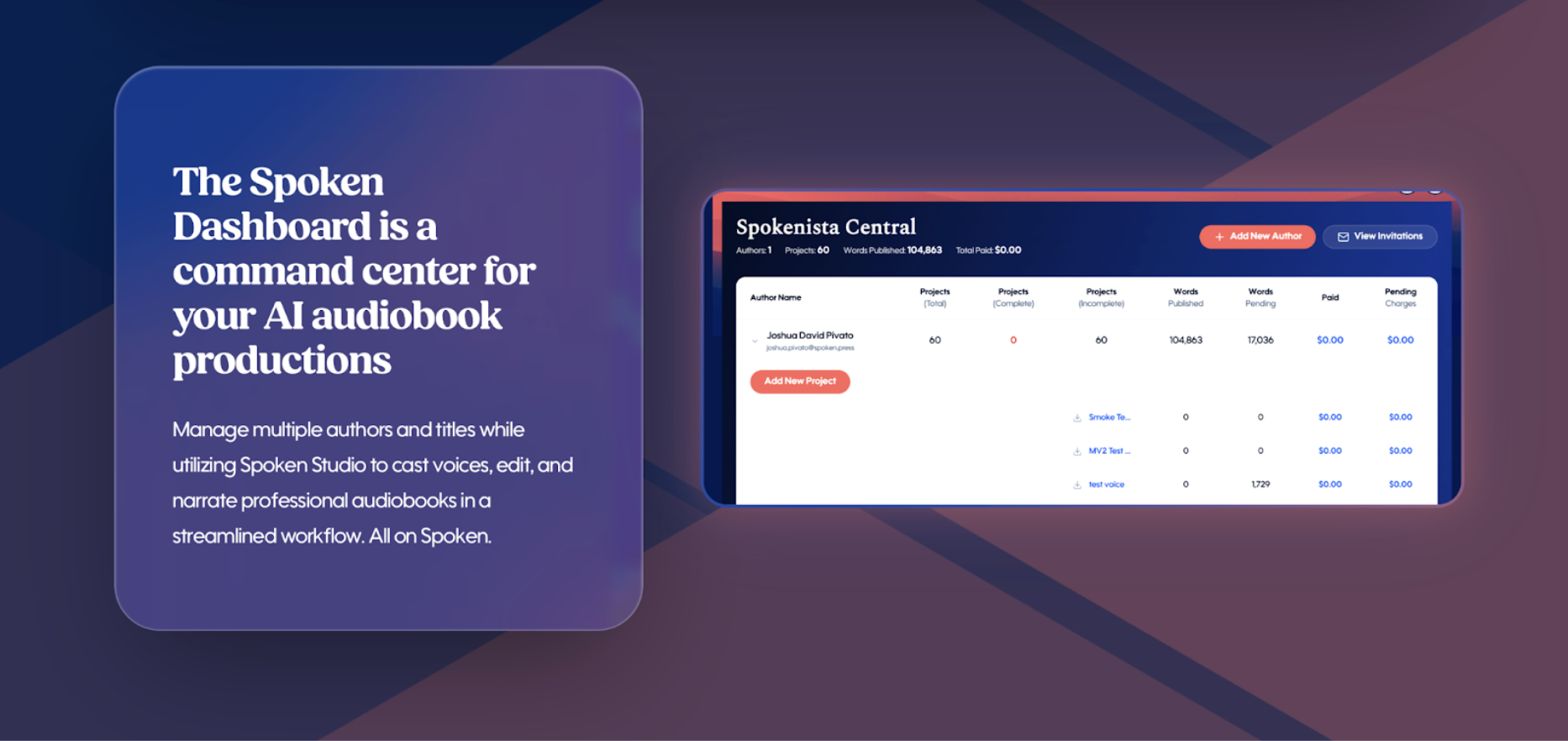
With the launch of the Spoken Dashboard, we opened our official Producer Submission Page, inviting experienced audio professionals to apply to become part of the Spoken Producers Network.
Spoken Producers receive access to advanced tooling inside the Dashboard and are certified in working within Spoken Studio, ensuring they understand the platform deeply and can elevate projects with precision.
Now, that ecosystem connects directly to authors.
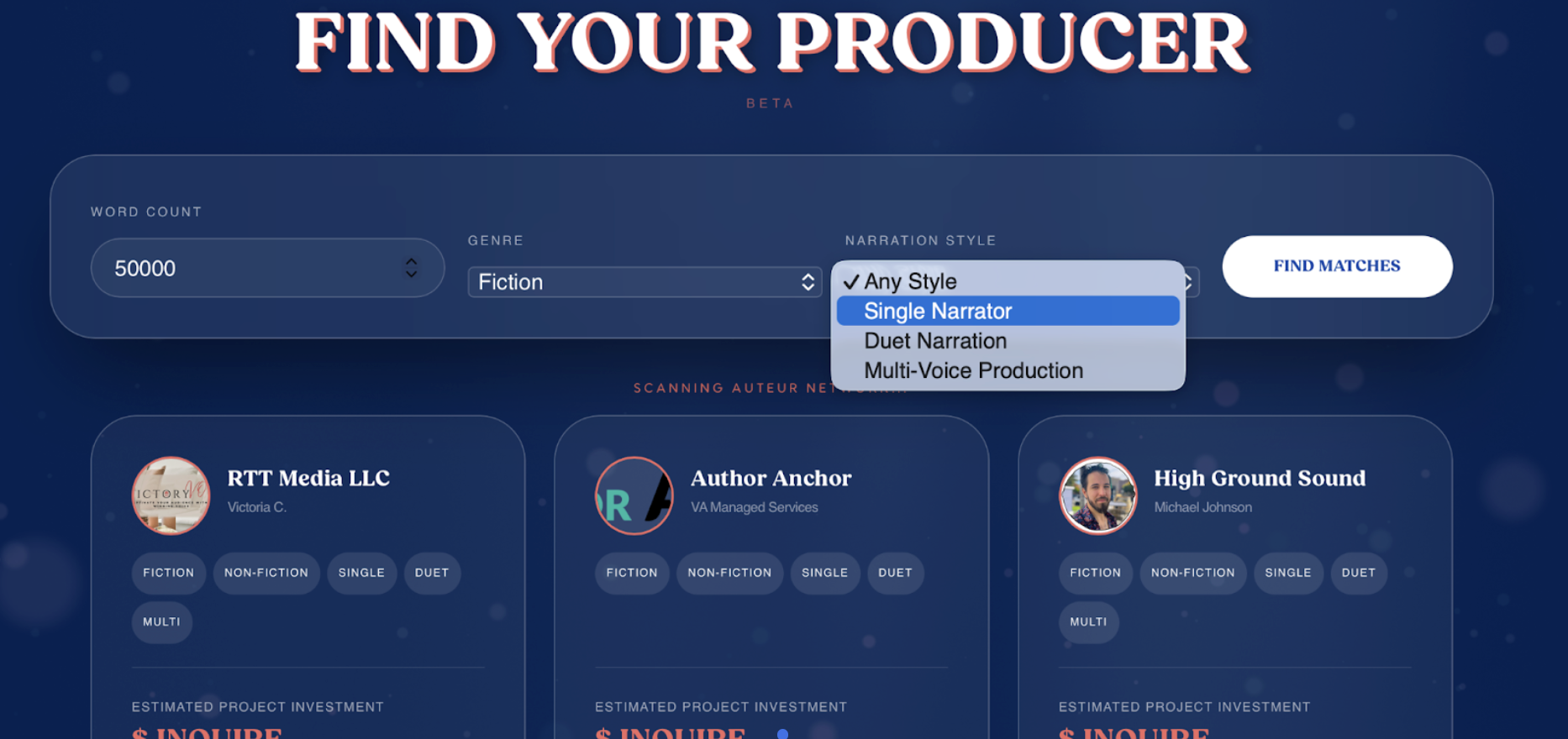
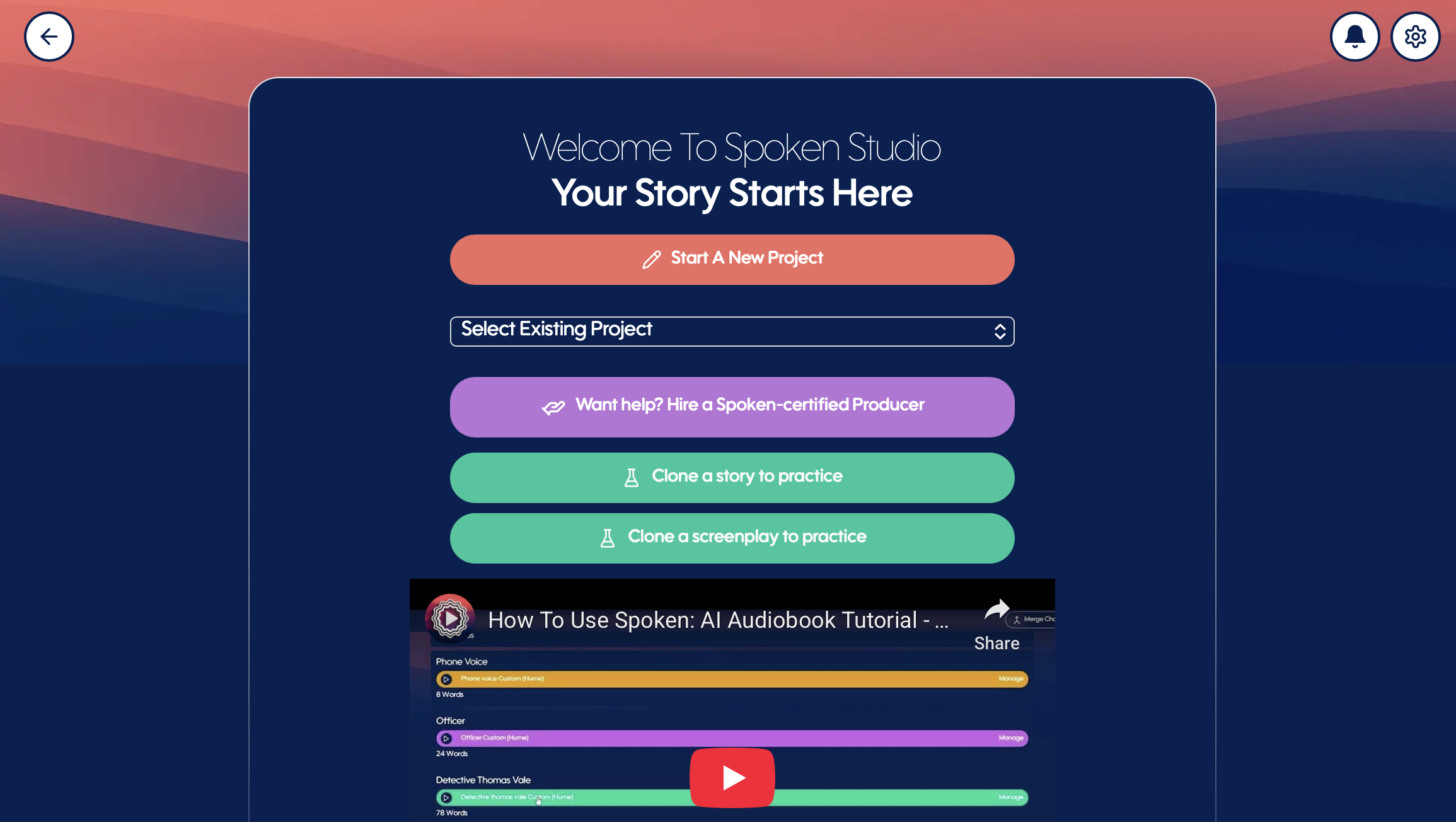
Inside the Create page, you’ll now see a new “Want Help?” button.
For authors who:
Feel stuck at any stage
Don’t have time to complete production
Want a truly professional ear on their project
You can click Want Help? and browse a curated list of Spoken-certified Producers.
These are qualified experts inside Spoken Studio — professionals who understand digital narration, pacing, voice direction, proofing, and final preparation for distribution. Authors can review, inquire, and engage directly based on their project’s needs.
What This Means for Existing Projects
All previously created projects will remain structurally intact.
Your passages will continue to appear separated passage-by-passage, just as they were originally built, now enhanced with the new visual padding controls.
Nothing about your existing narration structure is being rewritten or merged automatically.
For new projects created in v1.10, paragraph integrity is preserved from the start, allowing your manuscript to flow more naturally while still maintaining passage-level control.
In short:
Your past work is safe.
Your new work is more fluid.
And you’re in control of how either one evolves.
The Bigger Picture
Spoken v1.10 is the next chapter of Studio experience. We’ve brought new life to how you interact with:
Your pacing
Your pronunciation
Your structural formatting
Your voice casting
Your audio revisions
Your manuscript integrity
It’s a refresh and re-engineering of how Studio feels in your hands.
Spoken has always believed the serious self-publishing author deserves professional-grade tools.
Welcome to the new Studio. You won’t believe what comes next…
