
Spoken v2.1.2 — Spoken Multi-Cast™ - A Major Change in Workflow
Better Preparation Tools, More Accurate Narration
This release introduces new pre-production tools for Magic Mode, giving you greater control over reviewing passages and speaker assignments before generating audio. It's a powerful new preparation step that helps streamline your workflow. We've also included general improvements and bug fixes across Text-to-Speech, Speak-Its, and overall platform performance.
Pre-Production & Magic Prep Features
Creating accurate narration starts with accurate preparation. Version 2.1.2 introduces a dedicated pre-production workflow for Magic Mode, making it easier to review and refine your content before generating a base narration layer.
What's New
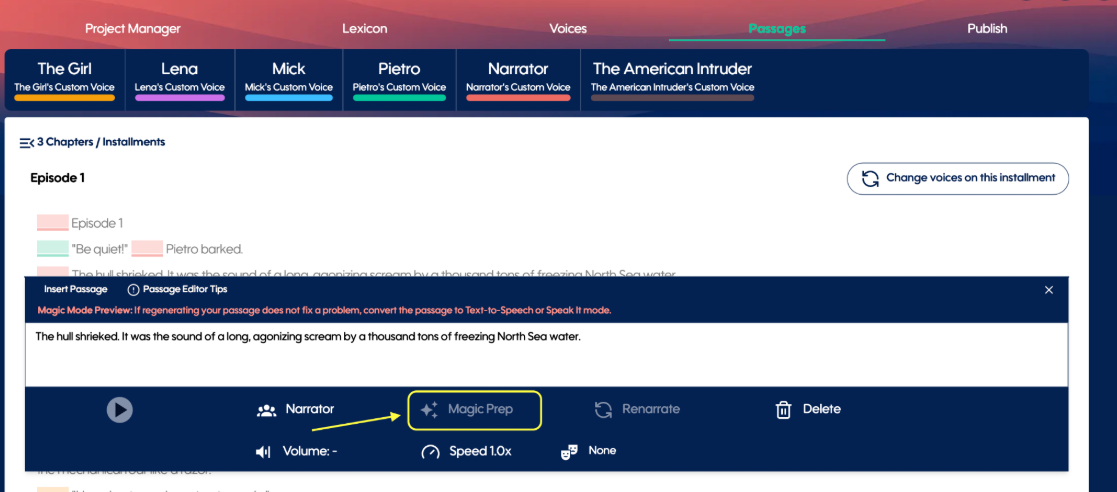
A new Manage Passages experience allows you to review and edit passages before narration begins.
Verify and update character attribution, speaker assignments, speaker cues, passage text, accents, and emotion cues in one centralized workflow.
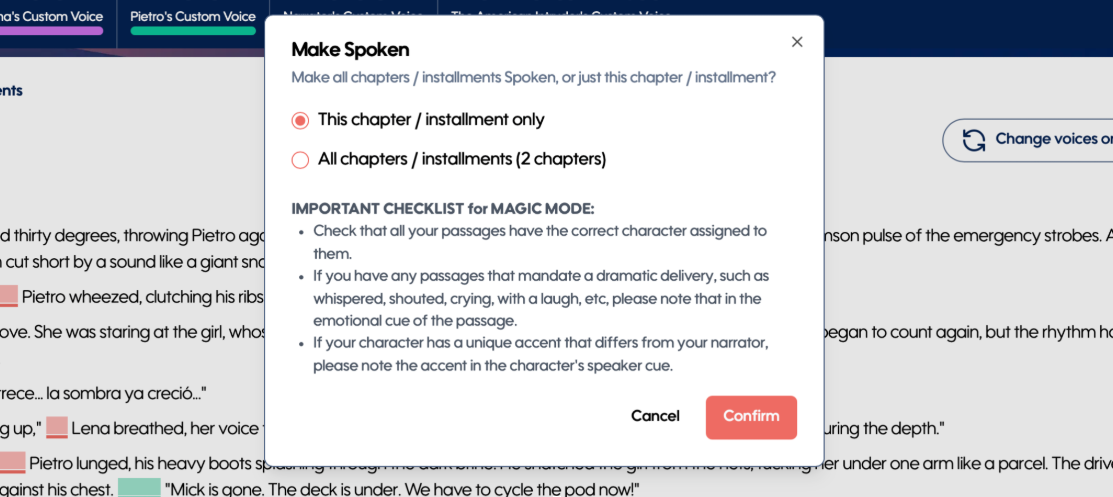
Generate narration for a single chapter or your entire work, providing greater flexibility when creating or updating audio.
Review passage changes and regenerate only the content that needs updating, without reprocessing your entire project.
Enhanced passage editing tools make it easier to fine-tune speaker details and ensure your narration is prepared exactly as intended.
Why It Matters
These new preparation tools help ensure your base narration is as accurate as possible from the very first generation, reducing the need for post-production corrections while preserving the simplicity and speed of one-click narration.
Bracketed Cues Support in Text-to-Speech
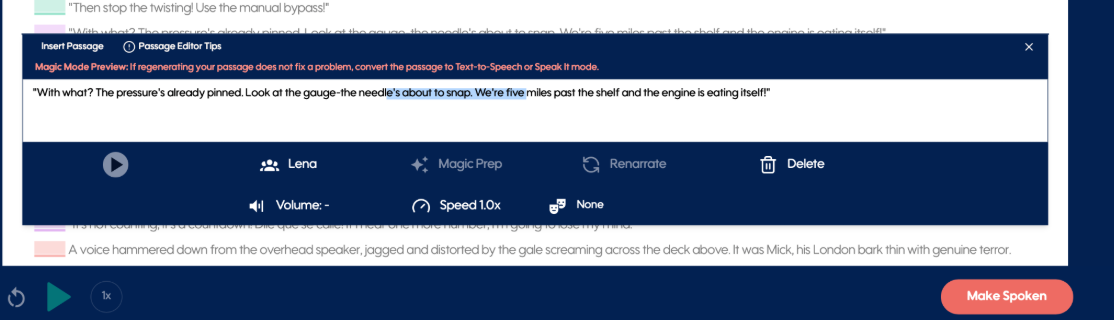
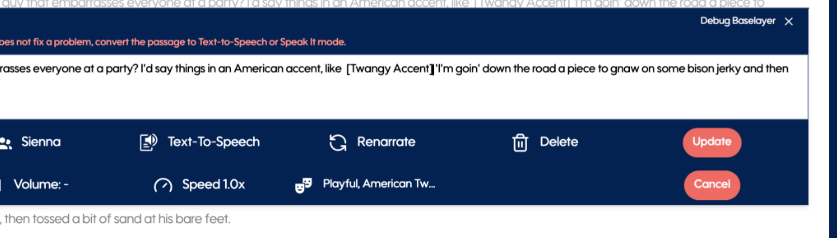
Text-to-speech now supports bracketed cues within passage text when editing a passage. Use cues such as [British accent], [whispers], or [excited] to influence the delivery of a specific word or phrase.
For the best results, think of narration control in three levels:
Speaker Cues apply to every passage spoken by that character.
Emotion Cues apply to the entire current passage.
Bracketed Cues apply only to the specific words or phrase enclosed in brackets.
Because these controls can influence one another, avoid using them to accomplish the same effect at multiple levels. For example, if you're using a bracketed cue to create a specific emotional moment within a sentence, it's often best to remove the passage-wide Emotion Cue so the two instructions don't compete.
Bracketed cues are intended as a precision tool for isolated moments—not as a replacement for Speaker or Emotion Cues.
(Note: Bracketed cues are supported on Magic Mode + 11L Voices only; they are not supported for Hume models.)
Improvements & Fixes
General improvements to Text-to-Speech inputs and processing.
Performance and reliability enhancements for Speak-Its.
Improved stability across narration and content generation workflows.
Various bug fixes and behind-the-scenes optimizations for a smoother overall experience.
