
Spoken v2.2 Release Notes — More Ways to Make It Yours
Add Music, Sound Effects, Recorded Audio & More to Your Spoken Production — Plus Finer Pacing & Production Control
Spoken Studio v2.2 opens up the production workflow in a major new way.
For the Authors, Publishers and Producers who have been asking us to make this possible: it's finally here.
For the first time, Spoken Studio lets you bring audio beyond generated narration directly into your audiobook production.
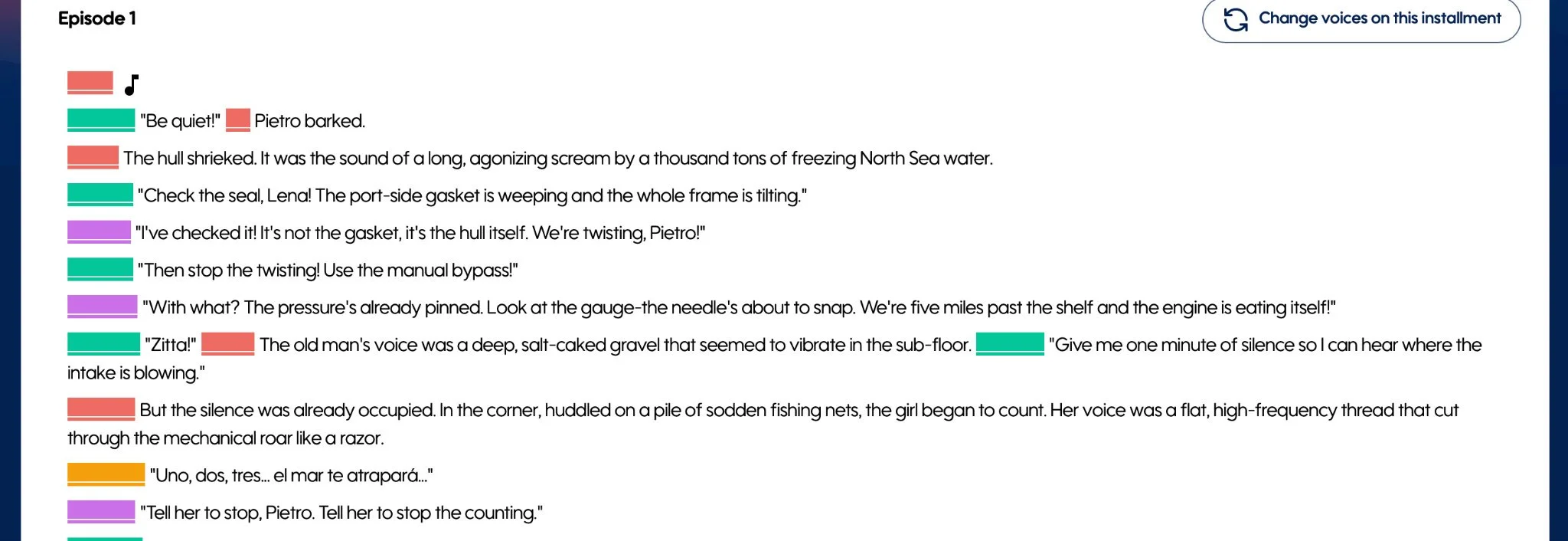
Add a sound effect between two passages. Drop music between a scene transition. Add an opening theme. Insert an author-recorded note, a producer-created element, a custom performance, or any other audio your Spoken production calls for. Sound design. Music. Commentary. Custom audio.
This vastly expands the creative canvas of Spoken Studio, opening up new possibilities for studio-grade, immersive audiobook experiences tailored to the needs of virtually any project. As these production tools continue to expand, so does the freedom to build richer, more distinctiveaudio experiences.
This release brings finer control over the audio Spoken creates, too. v2.2 expands passage- and character-level speed controls across both manual and Magic Mode workflows, making it easier to dial in the pacing dynamics of individual performances and entire scenes.
Together with a broad round of Studio refinements, v2.2 gives you more freedom over what goes into your audiobook — and more precision over how it all comes together.
Add Your Own Audio to Any Passage
This is a massive expansion of what you can build inside Spoken Studio.
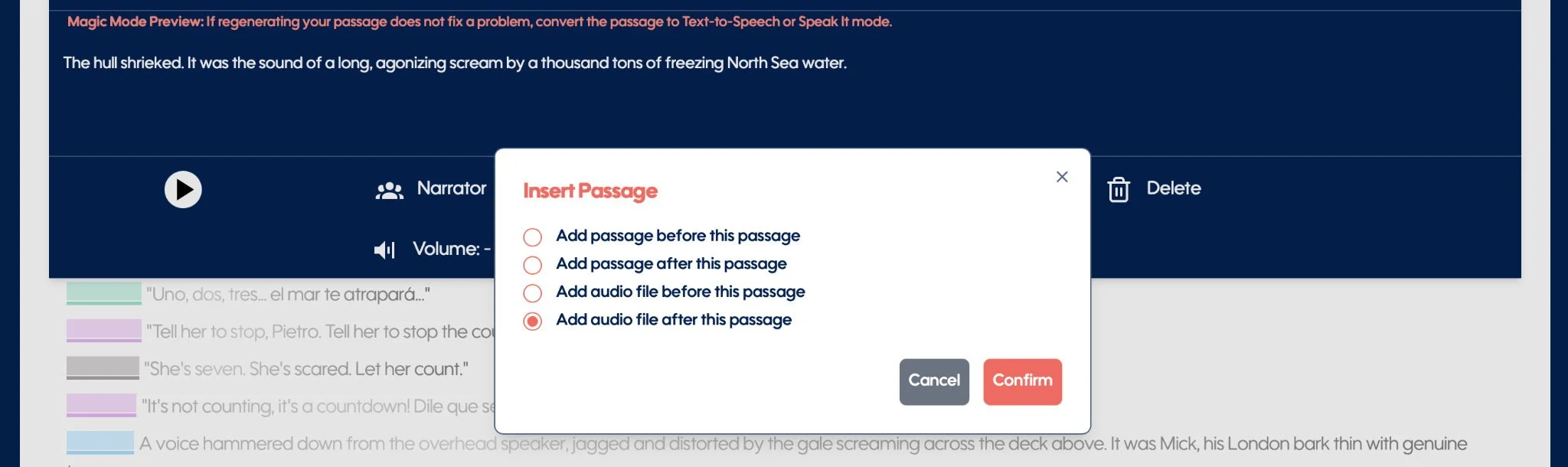
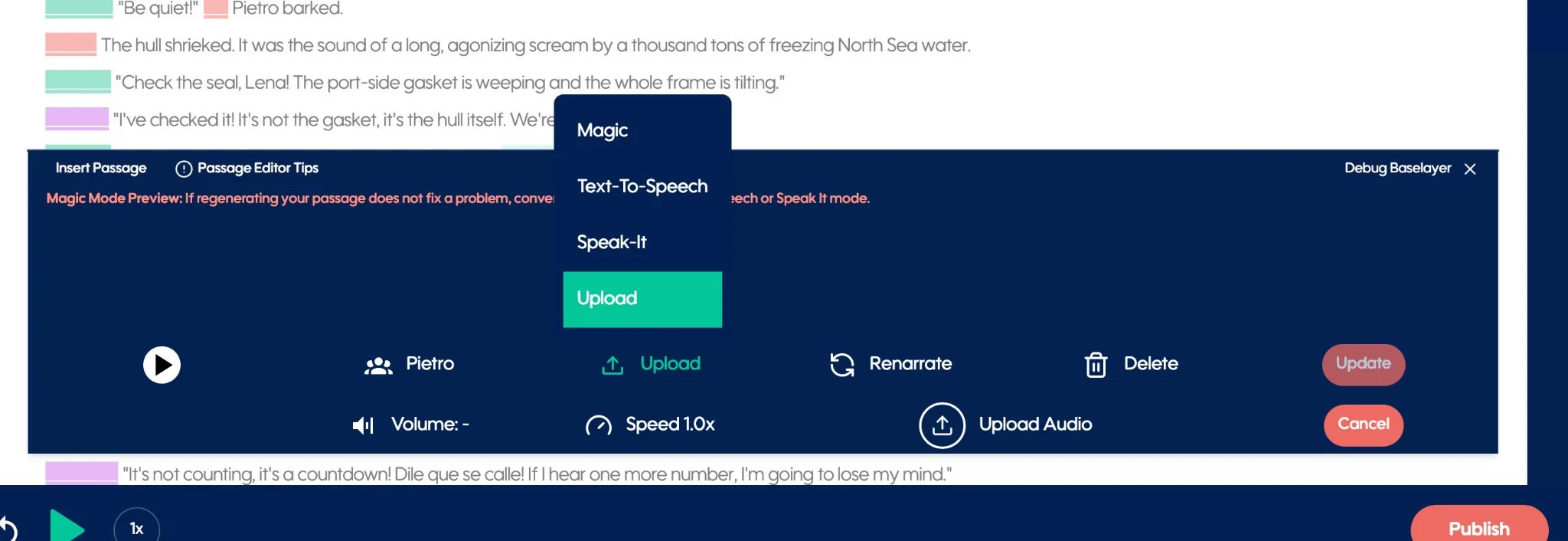
You can now upload an audio file directly to a passage, including passages created during Magic Prep, and place that audio exactly where you want it within your production.
That could mean adding music at the beginning of a chapter. A sound effect between passages. Author commentary. A specially recorded performance. Producer-created audio. An existing publisher asset. Or something entirely unique to the way you want to tell your story.
Once uploaded, the audio becomes the latest MP3 associated with that passage, giving it a natural home alongside the rest of your audiobook.
For Authors, this opens up entirely new creative possibilities.
For Producers, it creates more freedom to incorporate externally produced elements without stepping outside the Spoken workflow.
And for Publishers, existing audio assets can now be incorporated directly into projects alongside Spoken-produced narration.
Spoken can produce the narration. Now you can bring even more to the production.
Precision Pacing — Finer Speed Control
Pacing can change the feeling of a performance completely.
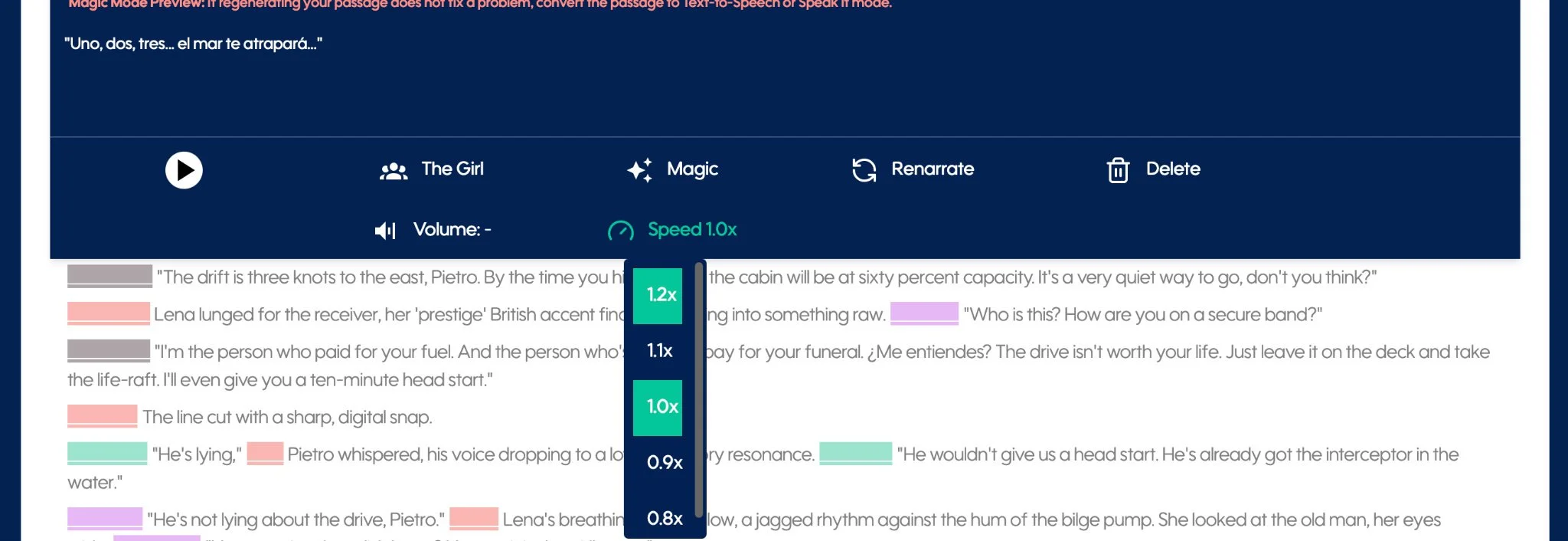
With v2.2, we've expanded and improved the fidelity of speed controls across both manual and Magic Mode production, giving you finer and more reliable increments for shaping narration:
0.8x · 0.9x · 1.0x · 1.1x · 1.2x
Start with your established pacing, then fine-tune it where the story calls for something different.
Speed can be adjusted at the individual passage level, allowing you to shape the dynamics within a scene, or globally at the character level when you want a particular performance style carried consistently throughout the work.
Slow down a moment that needs room to breathe. Tighten the pace of a faster exchange. Dial in a character whose natural delivery needs just a little adjustment.
It's another production control available when you need it, while staying out of the way when you don't.
“Scene Note:” — Scene-Level Intelligence for Magic Mode
Magic Mode now gives Authors, Producers, and Publishers a powerful new way to prepare a manuscript for performance before it ever enters Spoken Studio.
Add a Scene Note beneath a chapter heading to provide direction for the entire scene — shaping its pacing, rhythm, accents, delivery, emotional arc, or the way multiple characters interact.
(Example Scene Note: “This scene should build slowly and tensely. All characters speak with British accents, with increasingly rapid pacing as the argument escalates.”)
When the manuscript is brought into Spoken, Magic Mode uses that scene-wide direction alongside its analysis of the characters and passages, giving it a clearer understanding of how the scene should unfold as a complete performance.
For authors and publishers preparing a manuscript, and producers shaping a production, Scene Note puts the director's intent into the manuscript itself, before narration begins.
Bugs, Fixes & Studio Refinements
v2.2 also includes a substantial round of improvements throughout Spoken Studio, with a focus on responsiveness, reliability, and keeping production moving smoothly.
This includes:
Faster and more responsive padding updates
Improvements to Custom Voice matching
Smoother dragging and reordering of Chapters / Installments
Improved Speak It recording, upload, and update behavior
A fix for voice previews in the Voices tab not playing back as expected
Additional performance, stability, and workflow refinements throughout Studio
More Ways to Make It Yours
Spoken has always been built to give creators serious control over how their audiobooks are produced.
v2.2 expands the palette.
You can bring your own creative audio into the production, place it exactly where the story needs it, and shape Spoken performances with finer pacing control than before.
For an Author producing a deeply personal work, a Producer adding the finishing touches, or a Publisher working across an ambitious catalog, there are now even more ways to make a Spoken production distinctly your own.
