
Spoken v2.1 Release Notes — Continuity and Creative Control
Magic Mode Character Accent Control, Chapter-Specific Narrator Accent Changes, and Cross-Project Lexicon Carry-Over
Fresh off the launch of Spoken Studio V2 and Magic Mode, v2.1 delivers the first major expansion to Spoken Studio with an emphasis on personalization and continuity systems.
This release introduces Character-Level Accent Control for Magic Mode and Cross-Project Lexicon Carry-Over— two powerful additions designed to give authors, producers, and publishers greater influence over performance while dramatically reducing repetitive production work.
Whether you're producing a single title, a long-running series, an author's backlist, or an entire publishing catalog, v2.1 helps ensure your creative decisions remain consistent from project to project.
Magic Mode Default Narrator Accent Changing by Chapter
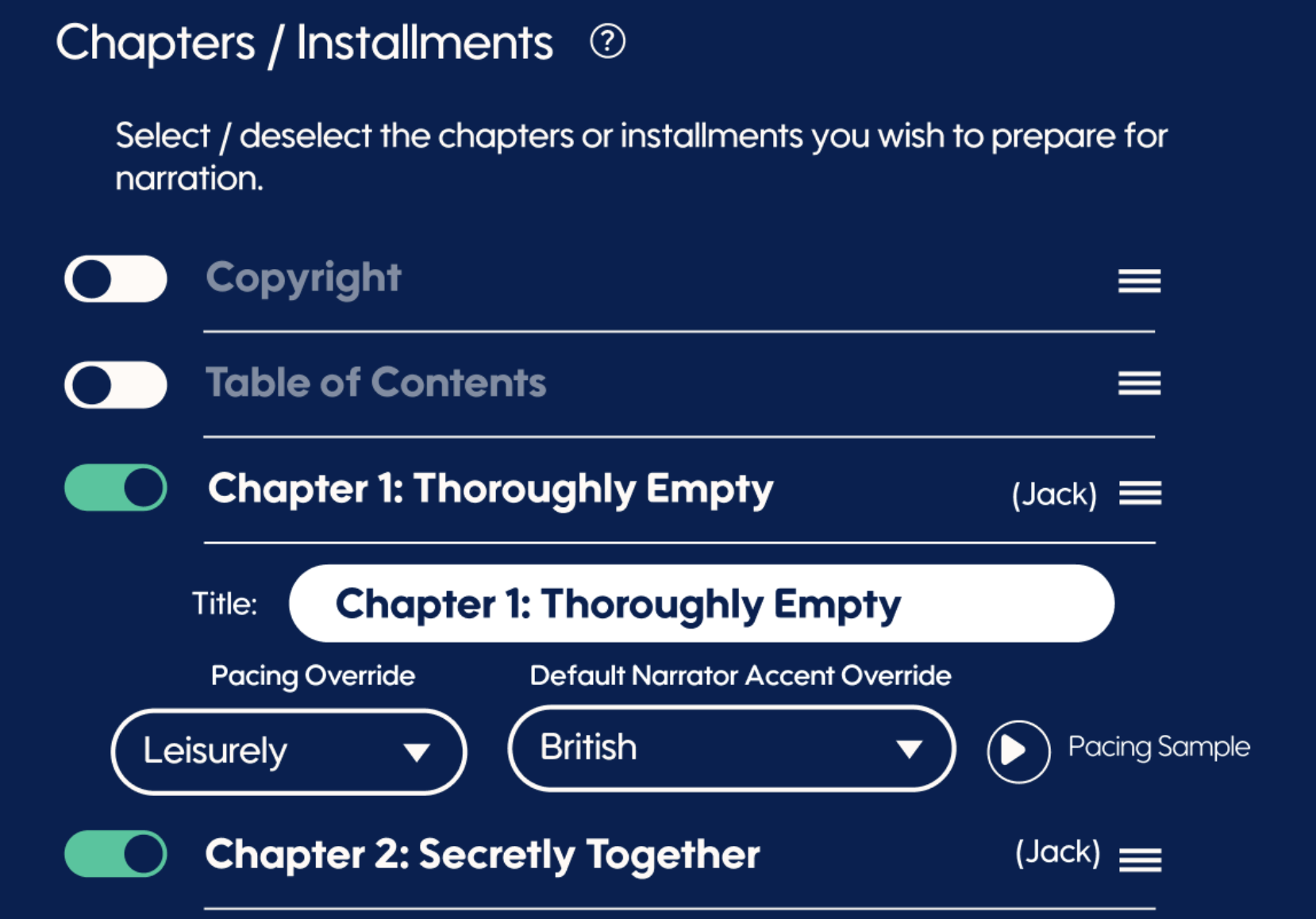
As Spoken builds up the rudimentary and cadence layers to create perfect cohesion, dominant narrator accent by chapter is deep-seated and very important. However, before now, you could not alternate or change that dominant accent by chapter. Being able to define different narrator accents by chapter is essential if you alternate your narrators or have duel / duet narrators, and those alternating narrators have different accents.
We've fixed this by enabling you to define chapter-specific pacing and accent overrides by chapter. This is for your dominant narrator only, as speaking characters will carry through their speaker cues and voice timbre for great delivery.
As you scan down through your chapters, we've also detected who the likely narrator is, to make it easier for you to remember which chapter narrators might require a different pacing or accent from your book's default.
Magic Mode Character Accent Control
Magic Mode has always analyzed your manuscript for character and narration cues, including likely accents, speech patterns, and delivery styles.
However, if a character's accent wasn't clearly established within the text itself, there was previously no reliable way to ensure that character would consistently perform with a different accent than the chapter's primary narration voice.
With v2.1, that's now possible.
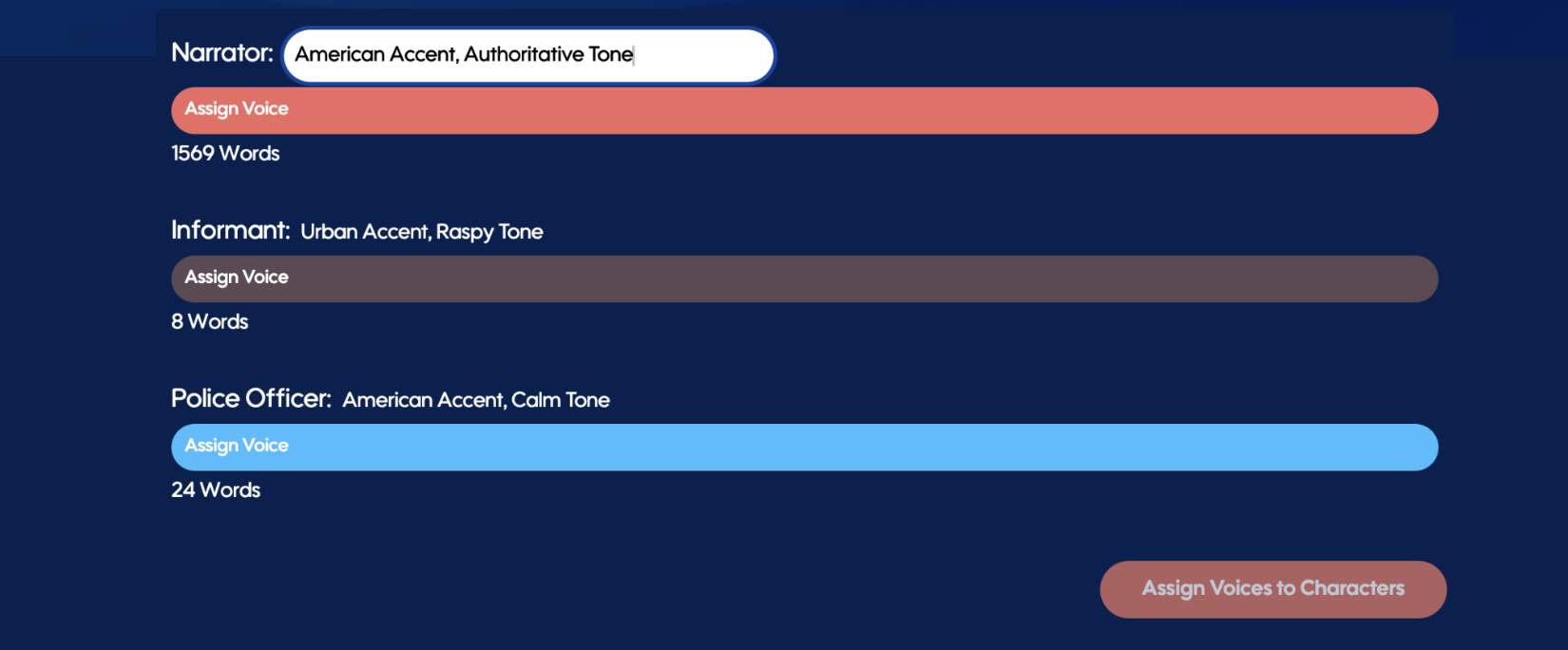
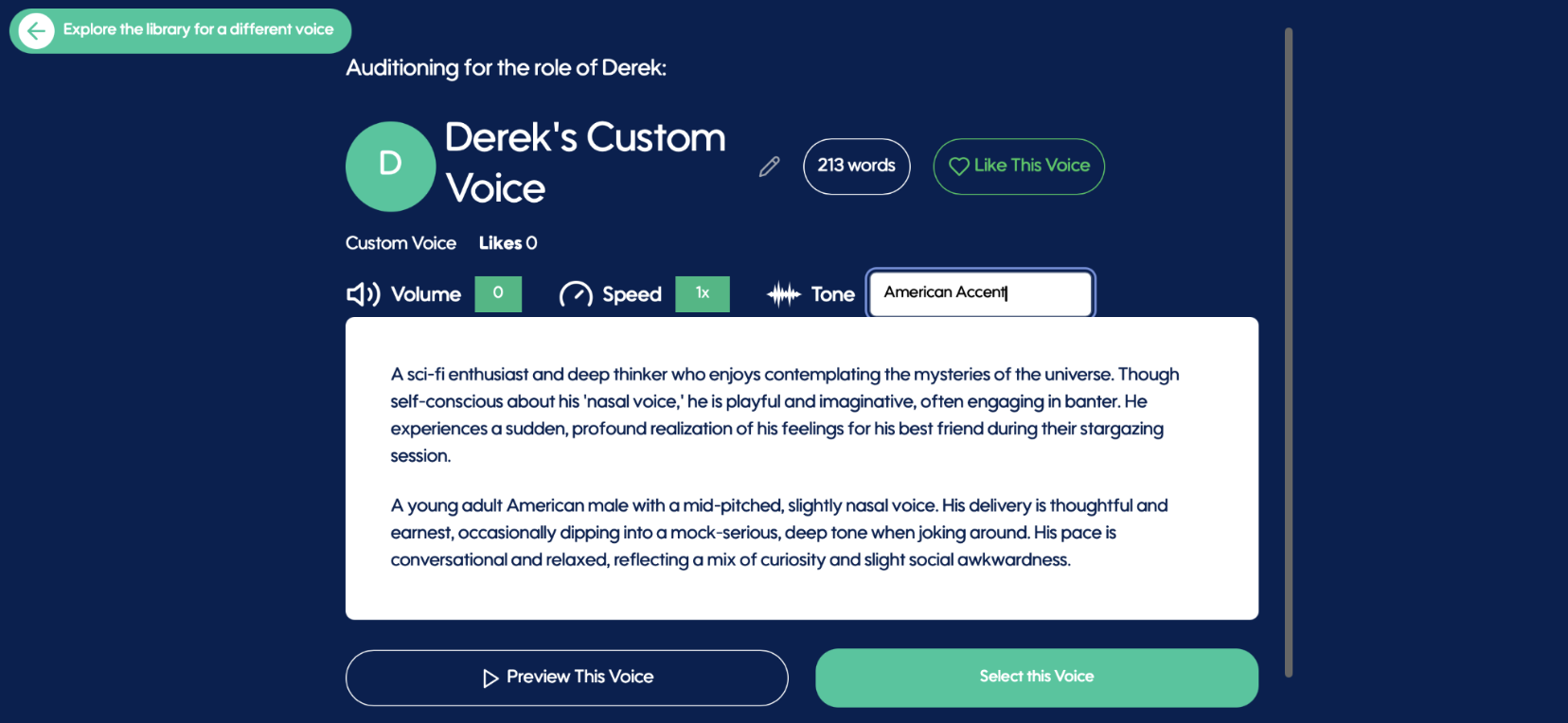
After completing Lexicon review and before narration begins, you'll now find a new editable Accent & Tone Cue field within the Voices tab.
Whether Spoken has automatically assigned your voices or you've cast them yourself, you can now provide direct performance guidance for individual characters — specifying accents and tone characteristics that may not be explicitly stated in the manuscript.
Once selected, these cues become part of the Magic Mode narration process and are carried throughout the character's performance.
Many stories contain characters whose voices are clearly envisioned by the author, but whose accents or delivery styles may never be directly described on the page.
Now, Speaker Cues can help bridge that gap.
Cross-Project Lexicon Carry-Over
Your pronunciation work now follows you.
When a new project is analyzed, Spoken can identify words and phrases you've previously corrected in other projects and automatically make those pronunciation replacements available for reuse.
Character names.
Fantasy worlds.
Invented languages.
Specialized terminology.
If you've already taught Spoken how something should be pronounced, you shouldn't have to do it again.
With a single click of the Apply button, matching Lexicon replacements can be brought into the current project.
You can also choose to save newly created pronunciation replacements into your growing personal Lexicon library, allowing future projects to benefit from the work you've already completed.
The result is stronger continuity across series, catalogs, and publishing programs — with significantly less setup work along the way.


Consistency Across Every Title
As more authors, producers, and publishers build larger libraries inside Spoken, consistency becomes increasingly important.
v2.1 helps ensure that character names, locations, terminology, and creative decisions remain aligned across projects, while giving creators even greater influence over the performances that bring those stories to life.
A truly meaningful release for anyone building more than a single audiobook.
Bugs, Fixes & Quality Improvements
We've also included a variety of improvements throughout Studio, including:
Improved ePUB upload handling and processing
Clearer in-Studio guidance and instructional messaging for Magic Mode workflows and editing controls
Faster project preparation workflows
Increased precision
General stability improvements and bug fixes
Looking Ahead
Spoken Studio V2 introduced a new way to produce audiobooks.
v2.1 builds on that foundation by making Magic Mode more customizable, more consistent, and more responsive to the creative choices that make every story unique.
The more you create with Spoken, the more Spoken works the way you do.
